Data deletion instruction
Last updated: November 25, 2025
According to Facebook Platform rules, we are required to provide a User Data Deletion Callback URL or Data Deletion Instructions URL. If you want to delete your activities and data associated with our app, follow these instructions:
Delete Facebook App Activities
- 1. Go to Your Facebook Account's Setting & Privacy. Click "Setting".
- 2. Then, go to "Apps and Websites" and you will see all of your Apps activities.
- 3. Select the option box for Too Tasty To Waste It
- 4. Click "Remove" button.
Delete In-App User Account
If you wish to delete your user account data, you can do that throughout the application. Simply navigate to the "Profile" and then press the "More" button. You'll find the option to "Delete account" there. Once you confirm this action, your personal data will be permanently deleted, and no information will be retained.
Go to Your Account Settings
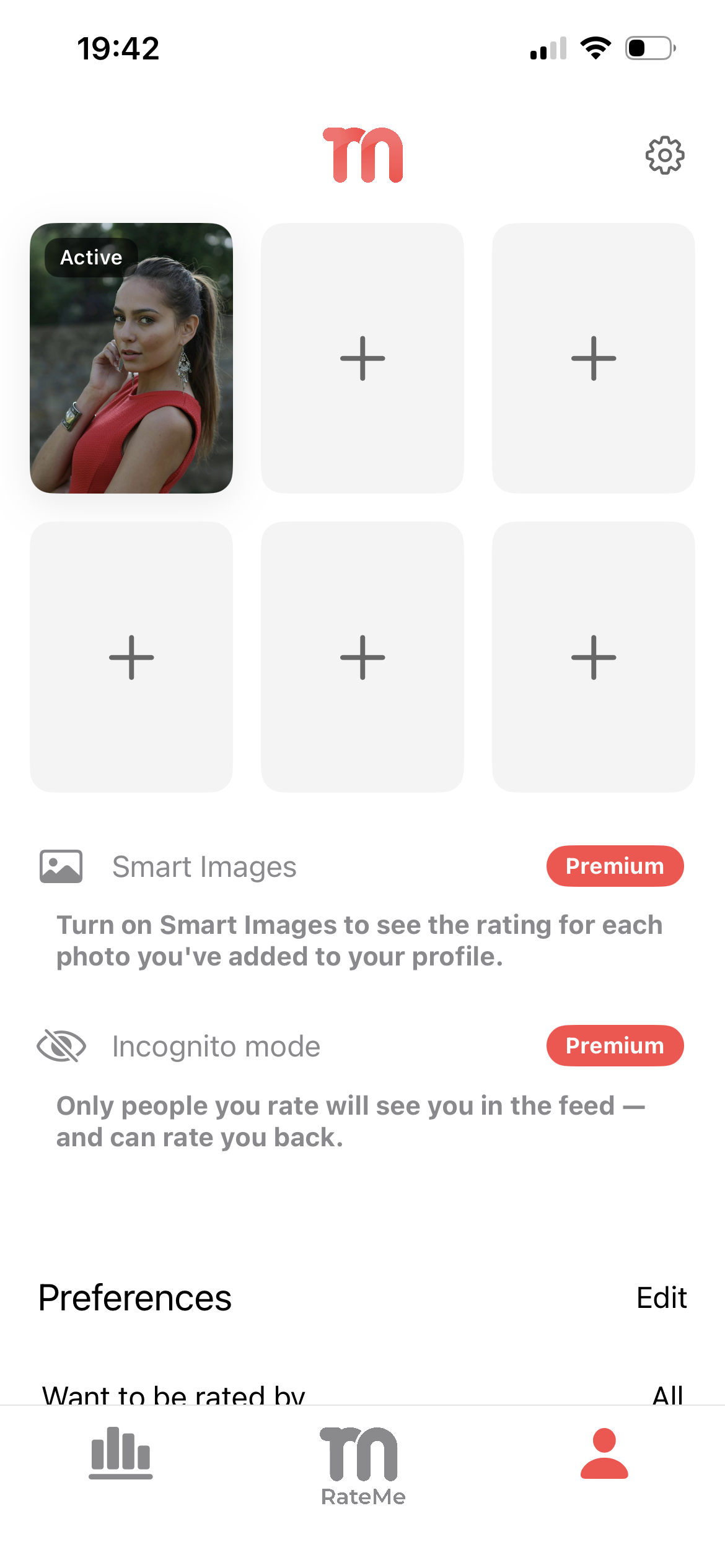
First access the Account page by pressing the account icon to the right in the bottom navigation, next press the gear icon in the top right corner to access Your Account Settings.
Initiate Deletion
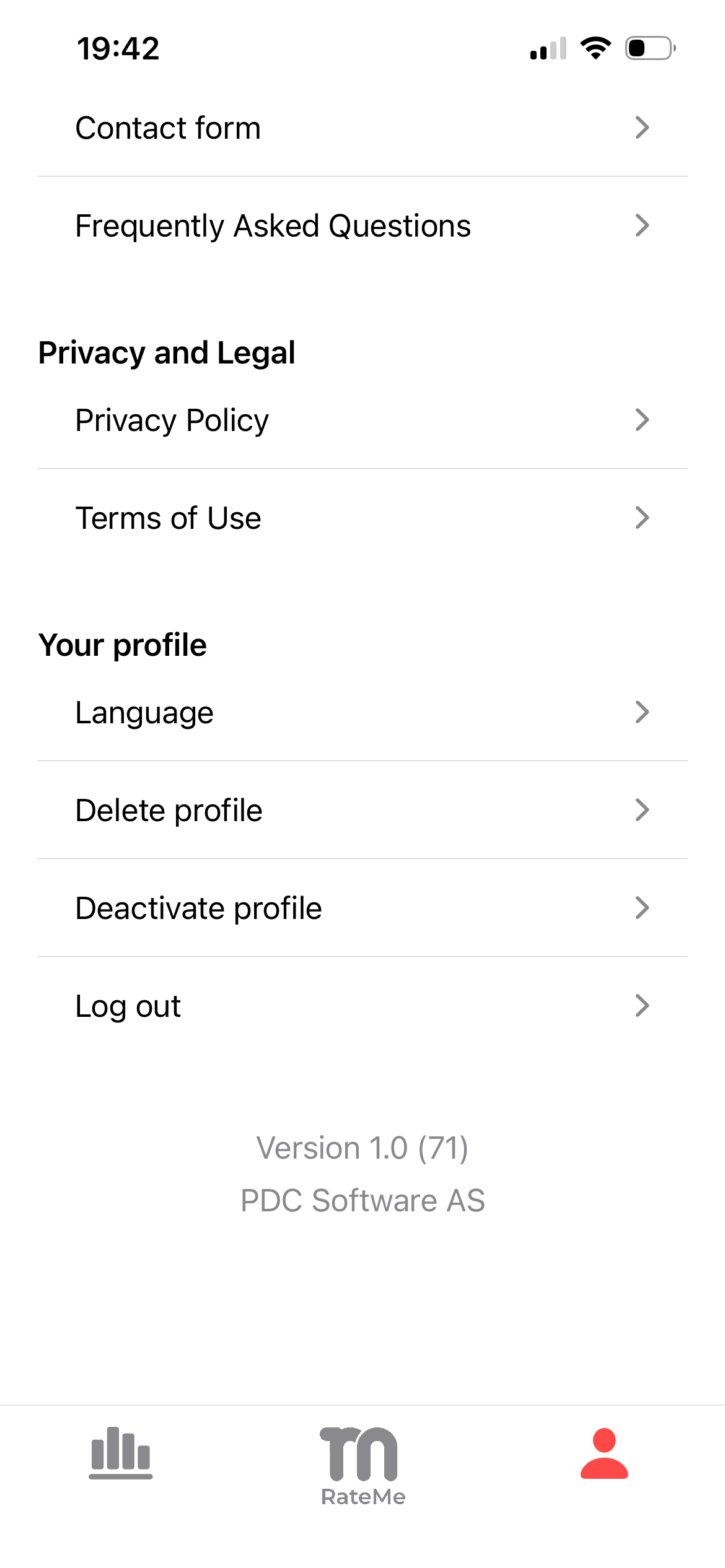
Scroll to the bottom on the Your Account Settings screen, then press 'Delete Profile'.
Confirm Deletion
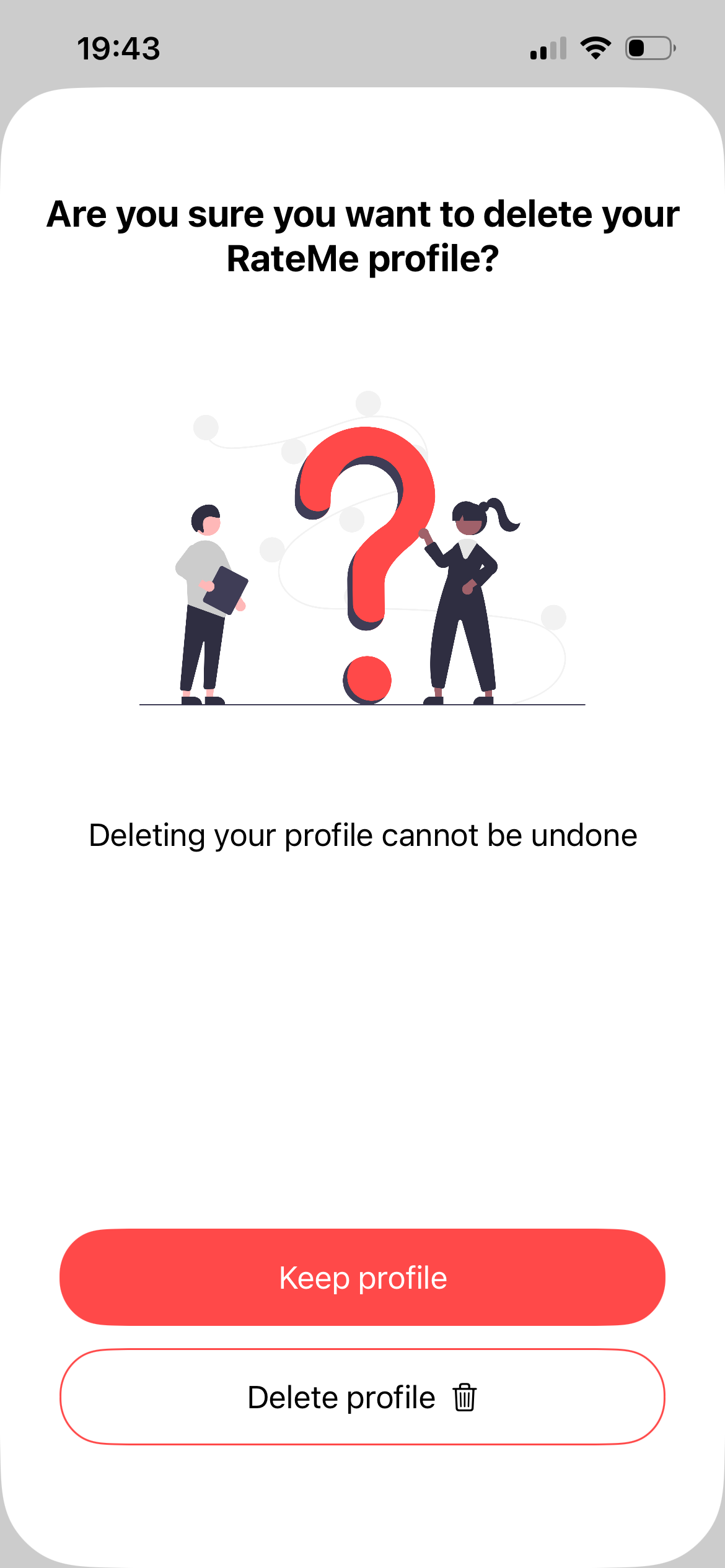
On the overlay, press the 'Delete profile' button
Final Deletion Confirmation
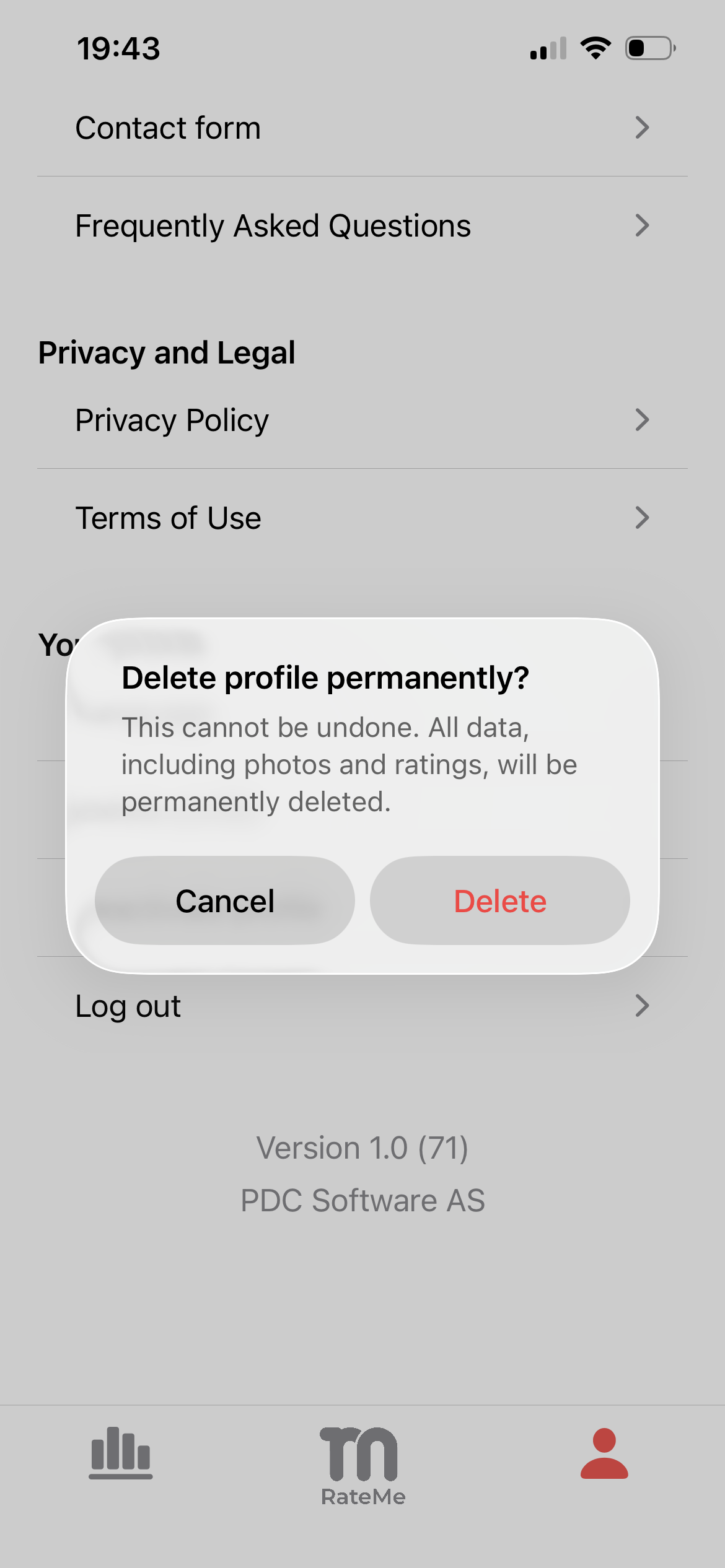
Finally press the 'Delete' button to delete your profile data permanently. After this we will begin the process of deleting your data, this action cannot be undone.